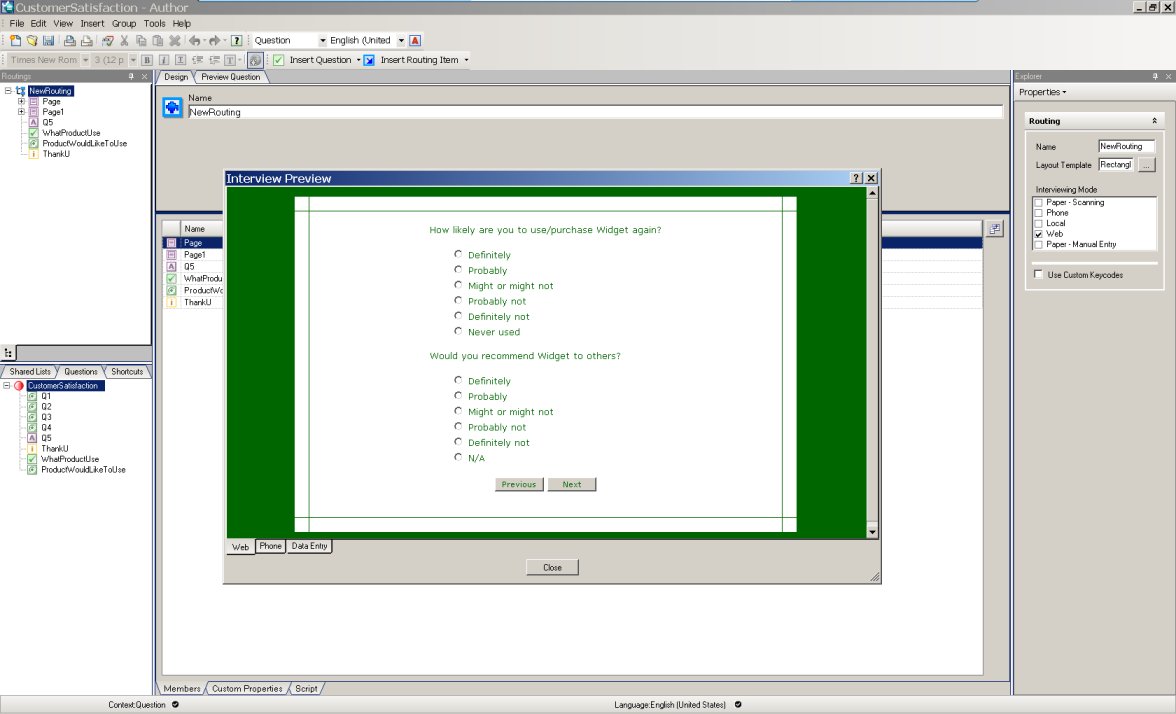
IBM SPSS Data Collection Author

Create compelling and visually appealing surveys that participants will want to answer.

  • Overview
  • Features
  • Downloads
  • System Requirements
  • Learn More

IBM SPSS Data Collection Author, with its intuitive interface, helps you create surveys. Create one survey and deploy in many mode (online, telephone, offline) and in any language.

IBM SPSS Data Collection Author

IBM SPSS Data Collection Author

What's New in IBM SPSS Data Collection Author

  • Further interface enhancements to improve your user experience
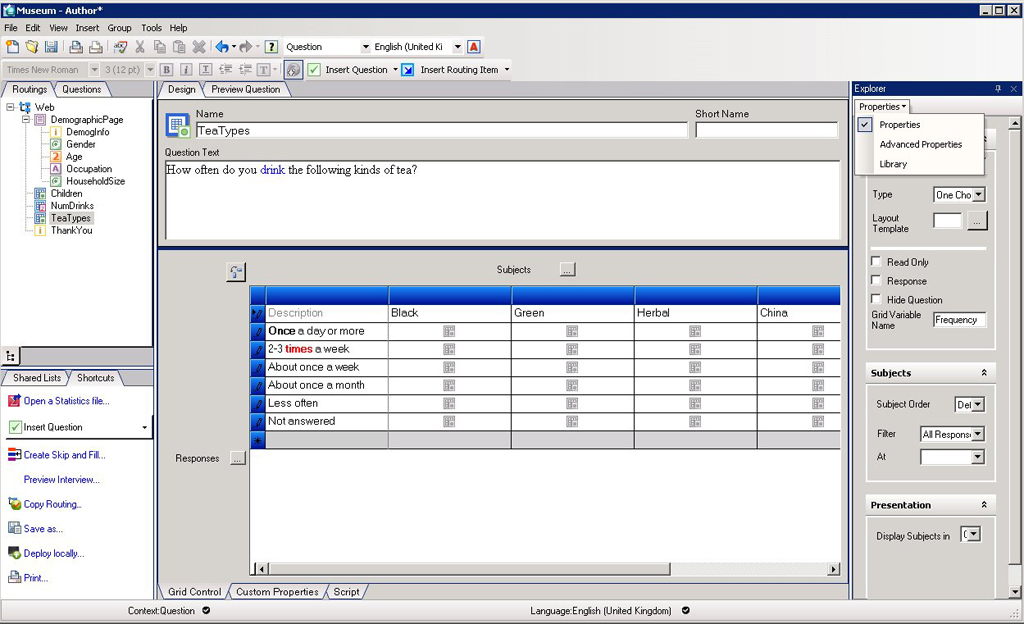
    • Newly designed workspace for increased usability
    • Question preview reflect changes dynamically
    • Shortcut to your favorite items
    • Enhanced grid creation
    • Formatting toolbar [allows for formatting both question and response text, so you can make your survey more aesthetic or draw attention to specific items]
  • Create a survey from an existing SPSS (.sav) file
  • Ability to specify FIPS 140-2 compliance during installation process
  • Increased flexibility with shared lists: You can create sub-lists within a response list or group particular items to create a shared list
  • Custom keycodes and analysis values can be specified during authoring to streamline your process during authoring
  • Local deployment wizard allows you to deploy a survey to one or more Interviewer installations.
  • Spell checking your survey automatically
IBM SPSS Data Collection Author: Select New Features

IBM SPSS Data Collection Author: Select New Features

IBM SPSS Data Collection Author: Using IBM SPSS Statistics Data to Create a Survey

IBM SPSS Data Collection Author: Using IBM SPSS Statistics Data to Create a Survey


Create Compelling and Visually Appealing Surveys

  • A single survey created with IBM SPSS Data Collection Author can deployed in any channel (Web, telephone, or a mobile device such as a laptop) or language
  • Easy to use and intuitive interface

A Guided Approach to Survey Experience

  • Use the intelligent Wizards to guide you through the entire survey process from survey authoring right through to reporting
  • Create your own or use available wizards
  • Share best practice and expert survey creation skills
  • Reuse or edit example questionnaires and templates

Ask the Right Questions

  • Flexibility to incorporate all question types
  • Include visual or interactive question types

Powerful Surveys That Make It Easier for Participants to Respond

  • Tailor surveys to suit the Data Collection channel
  • The ability to create intricate sophisticated surveys

Surveys Primed for Analysis

  • Streamline time to reports by creating analysis ready data
  • Prepare for reporting during survey creation

Surveys That Are Tried and Tested

  • Preview your survey before launching
  • Test surveys before launching

Reuse, Share and Standardize Surveys

  • Collaborate across the enterprise to eliminate duplication and inconsistencies while increasing survey creation efficiencies
    • Save time and use surveys again and again
  • Extend operational efficiency and data consistency
Data Collection Author

Data Collection Author

IBM SPSS Data Collection Author: Using Custom Wizards

IBM SPSS Data Collection Author: Using Custom Wizards

IBM SPSS Data Collection Author: Using Custom Wizards

IBM SPSS Data Collection Author with Collaboration


web-visual
A project with all the tools listed

A project with all the tools listed


IBM SPSS Data Collection Author
From concept to insight: Create powerful surveys quickly and easily.

IBM SPSS Data Collection for Business

The IBM SPSS Data Collection suite of survey research products empowers you to capture customer input across multiple touch-points and broadcast the “voice of the customer” throughout your organization.


  • Operating System and Software:
    • 32-bit or 64-bit version of Microsoft® Windows® Vista®, with
    • Microsoft Internet Explorer 7.0
    • Microsoft .NET Framework 3.0
  • OR
    • 32-bit version of Microsoft Windows XP Professional with Service Pack 2 and
    • Microsoft Data Access Components (MDAC) 2.8 or later (supplied)
    • Microsoft Internet Explorer 6.0 or 7.0
    • Microsoft .NET Framework 2.0 (supplied)
    • Web Services Enhancements (WSE) 2.0 SP3 required to use Repository (supplied)
  • Hardware:
    • Processor: Intel® Pentium®-class processor operating at 1GHz or faster; 2GHz or faster recommended
    • Memory: 512MB RAM minimum; 1GB or more recommended
    • Disk space: 200MB minimum
    • Display: 1024 x 768 or higher-resolution graphics adapter, supporting minimum 16-bit color quality
    • CD-ROM drive for installation

IBM SPSS Data Collection Author Training

For more training possibilities please go to our training website or contact us at +32 2 474 03 60 or [email protected].


Need more help?

Contact sales at +32 2 474 03 60 or send an email to [email protected]. Receive more information about SPSS products and solutions.


Related products

  • IBM SPSS Statistics

    The world's leading statistical software suite used to solve business and research problems.
  • IBM SPSS Modeler

    Model future customer behavior by making predictions about how customers will behave.
  • IBM SPSS Collaboration and Deployment Services

    Manage diverse analytical assets, execute critical predictive processes, and give visibility into the results of initiatives.
Left
Right