IBM SPSS Data Collection Data Entry

A modern approach to entering survey data

View US prices & buy

Contact Us

  • Overview
  • Features and Benefits
  • System Requirements

IBM® SPSS® Data Collection Data Entry (formerly PASW® Data Collection Data Entry) helps you capture data accurately and efficiently while providing oversight for all involved.

IBM SPSS Data Collection Data Entry is a progressive approach to data entry that combines capabilities found in IBM® SPSS® Data Collection Author and IBM® SPSS® Data Collection Interviewer.

  • Easily create compelling, visually appealing surveys that participants will want to complete
  • Efficiently capture responses from paper surveys or in electronic format
  • Capture data quickly, accurately and efficiently, so you can start analysis sooner and find insights faster
  • Improve researchers’ productivity while safeguarding information quality

What IBM SPSS Data Collection Author Offers

With IBM SPSS Data Entry Author, researchers can create compelling, visually appealing surveys that participants will want to complete, and include survey-aware logic that makes data capture operations quicker, easier and more accurate.

  • Create professional-caliber surveys using a familiar, intuitive interface, Intelligent Wizards and shortcut menu bars
  • Use single and multiple response questions, as well as matrices and grids
  • Create lists that can be shared across multiple questions
  • Create customized libraries of questions or whole questionnaires that can be shared across organizations to ensure consistency and to reduce duplication of work
  • Use sophisticated validation, including go-to, list-filtering and skip-and-fill capabilities to keep data clean and accurate
  • Leverage existing IBM SPSS Statistics files to jump-start data collection efforts
  • Preview and test surveys before they are launched
  • Set up analysis specifications during survey creation
  • Export questionnaires and survey logic to IBM SPSS Data Collection Data Entry Interviewer, or create paper surveys

What IBM SPSS Data Collection Interviewer Offers

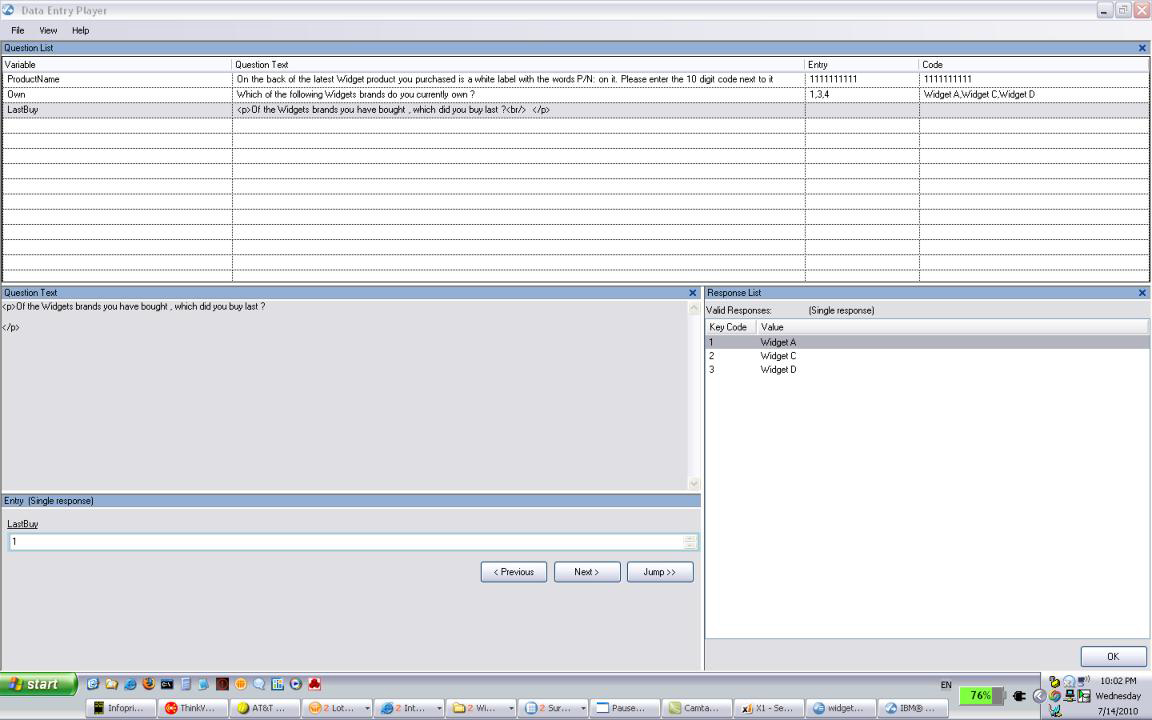
IBM SPSS Data Collection Data Entry Interviewer provides sophisticated functionality that allows operators to enter data quickly and accurately using a configurable, keyboard-driven data entry interface that can be used in face-to-face interviews or simple data capture and which minimizes the number of mouse clicks for greater speed and productivity.

  • Enter data quickly and accurately with a configurable, keyboard-driven data entry interface
  • Gain visibility into data entry through validation verification, including double keying
  • Batch surveys to enable many operators to key data for a single project, or for faster data entry for large projects
  • Allow data capture specialists to work on several projects simultaneously
  • Present surveys to respondents in the field using multimedia and customized look-and-feel to capture data electronically – even where Internet access is not available.
  • Stop and re-start data capture, and keep track of the status of different projects
  • Save data ready for analysis as an IBM SPSS Data Collection Data File or an IBM SPSS Statistics data file

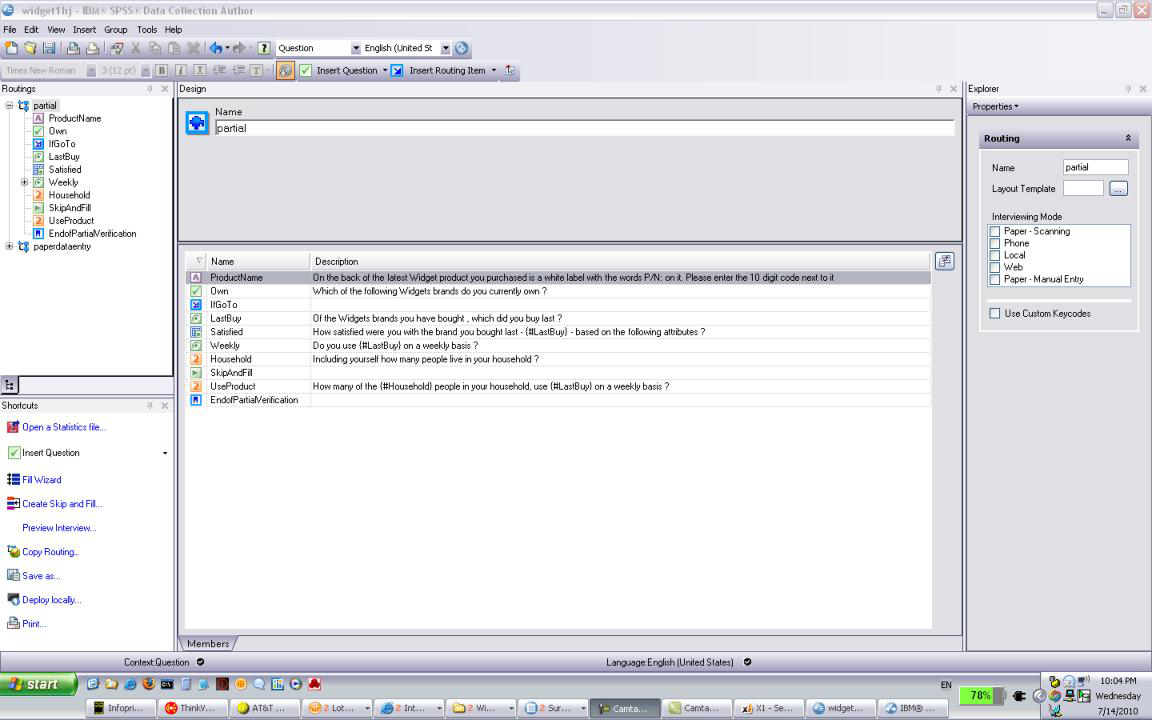
Create professional surveys quickly, capture quality data efficiently, start analysis and find the insight faster

  • Create professional surveys using a familiar, intuitive interface and a shortcut menu tool bar designed specifically for data entry users
  • Use intelligent Wizards that guide you through the entire survey process, from survey authoring to reporting
  • Customize example questionnaires and templates, or create your own
  • Leverage existing IBM SPSS Statistics files to jump-start data collection efforts
  • Create lists that can be shared across multiple questionnaires and re-used time and time again
  • Enter data quickly and accurately with a configurable, keyboard-driven data entry interface
  • Oversight and visibility into the data entry process through validation verification, including double-entry
  • Surveys can be batched together to enable many operators to perform data entry on one project or to speed up the data entry process on large projects
  • Preview and test surveys before they are launched to view and test accuracy
  • Prepare for fast, easy reporting by setting up analysis specifications such as value labels during survey creation
  • Surveys created for IBM SPSS Data Collection Data Entry can also be used for IBM SPSS Data Collection in other modes such as Web, phone or face-to-face
  • Reduce data entry keystrokes through skip-and-fill, which automatically answers or skips questions, depending on previous answers (e.g., a male respondent would not be asked a pregnancy question).
  • Use skip-and-fill options for specifying the response value for a single question or a set of questions depending on the responses to a previous question or set of questions – or to set criteria for skipping a single question or set of questions.
Create surveys quickly and easily

Create surveys quickly and easily

Enter data quickly and accurately

Enter data quickly and accurately

What’s new in the IBM SPSS Data Collection Data Entry

Highlights

  • Single keystrokes replace multi-stroke actions – Actions that previously needed multiple keystrokes (e.g., Alt+P for Previous) can now be accomplished with a single user-defined keystroke as well
  • Automatic advancement – Data entry is even faster with the option to automatically advance to the next question when a single response is entered, or to automatically insert separator characters for multiple response questions
  • Changing languages – Multi-lingual research is easier with questions that change the language of subsequent questions and answers
  • “If block” routing – Create complex logical routings using the conditional statements If, Else and Else If

Data Collection Author

  • Operating System and Software:
    • 32-bit or 64-bit version of Microsoft® Windows® 7 or Windows Vista®, with
    • Microsoft Internet Explorer 7.0 or above
    • Microsoft .NET Framework 3.5 SP1
  • OR
    • 32-bit version of Microsoft Windows XP Professional with Service Pack 3 and
    • Microsoft Data Access Components (MDAC) 2.8 or later (supplied)
    • Microsoft Internet Explorer 6.0 or above
    • Microsoft .NET Framework 3.5 SP1
    • Web Services Enhancements (WSE) 2.0 SP3 required to use Repository (supplied)
  • Hardware:
    • Processor: Intel® Pentium®-class processor operating at 1 GHz or faster; 2 GHz or faster recommended
    • Memory: 512 MB RAM minimum; 1 GB or more recommended
    • Disk space: 200 MB minimum
    • Display: 1024 x 768 or higher-resolution graphics adapter, supporting minimum 16-bit color quality
    • CD-ROM drive for installation

IBM SPSS Data Collection Interviewer Desktop

  • Operating System and Software
    • 32-bit or 64-bit version of Microsoft® Windows® 7 or Windows Vista®
    • Microsoft Internet Explorer® 7 or later
    • Microsoft .NET Framework 3.5 SP1
    OR
    • 32-bit version of Microsoft Windows XP Tablet PC Edition 2005 with Service Pack 2
    OR
    • 32-bit version of Microsoft Windows XP Professional with Service Pack 3, and
    • Microsoft Data Access Components (MDAC) 2.8 or later (supplied)
    • Microsoft Internet Explorer 6.0 or later
    • Microsoft .NET Framework 3.5 SP1
  • Hardware
    • Processor: Intel® Pentium®-class processor operating at 1 GHz or faster; 2 GHz or faster recommended
    • Memory: 512 MB RAM minimum; 1 GB or more recommended
    • Disk space: 50 MB minimum, more may be needed for larger projects
    • Display: 1024 x 768 higher-resolution graphics adaptor, supporting minimum 16-bit color quality

Need more help?

Contact a sales support specialist at 800.543.2185 or via the web.


White Papers

Whitepaper: Take many roads to truth

Featured
Take Many Roads to Truth with IBM SPSS Research Technology
  • How to get more value from your survey data
  • Five predictive imperatives